Intellectual property, copyright & copyleft

symbols, images and names which fall in the category of creative works.
Patents, trademarks and copyright are what protects intellectual property in law, and this allows people to benefit in recognition or financially from the creations.
Holding access to only the source code does not imply that the code is open source. The question is what a person is capable of doing with the code. There are a few factors that are offered by the Open Source Initiative that includes free redistribution which must provide source code to make it available. The second factor is that the programme is required to include the source code or either make sure that it is available. This mainly what open source code is about without the source code there would be no benefits to having an open source. The third factor is to allow modifications and derived works. The integrity of the author’s code must be maintained. The other factors link together which suggest to not discriminate against persons or groups and do not discriminate against fields of endeavour.
Copyright is the primary type of intellectual property; it enables the copyright owner to protect his or her work against other people from trying to copy their work or claim other people’s work as theirs.
On the other hand, Copyleft is a licence that tries to gain the public the freedom to change, extend and redistribute creative work while it remains free.

Accessibility for Web Design

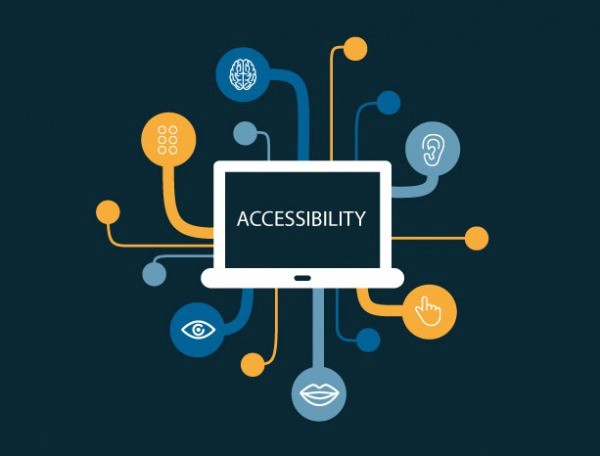
For designers, it is important to consider everyone when creating a website, you must think about how everyone is different and maybe trying to achieve the same goals. People with disabilities should be able to navigate and understand websites. It is considered not to be challenging to create an accessible website.
Accessibility could also include making sure that the site is available to use on mobile and tablet is the correct size and resolution and fits all text and images.
We use colour to communicate status and helps differentiate one thing from the other. Designers should use colour as an advantage but should also make sure that they do not rely on colour when designing. The alternative could be to make the use of shapes and symbols which can make it extra easy for users to understand. When we look at websites, there are accessible websites that not only showcase the colour but also include the colour name; this allows people that are colour blind use their sites independently with ease.
Including small concepts like subtitles when there is sound being played, for people with hearing difficulties is also a way that can make a website accessible.
Making designs that are not only based around colour makes it easier for the people that have low vision or cannot see at all this can help many people. Designers need to be able to convey the same message to everyone by using different methods. Some websites are unable to send the same message to everyone, which could cause them to lose their clients.

Web fonts and Google fonts

 HTML is used to give meaning to the content that is visible on the browser. CSS is the style which includes the aesthetics, colours and fonts. JavaScript can add interactivity to any webpage; an example of this is a calendar or a map. HTML5 is known as the latest version of HTML more support for media elements is integrated; the Canvas element is added; this allows ways to draw graphics using code. 

HTML Terminology 

  • Elements: components examples include links and paragraphs.
  • Tags: Used to specify elements using brackets.
  • attributes: used to give further information 

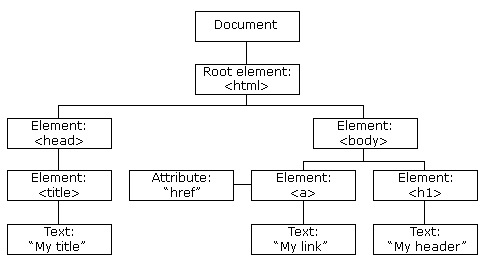
Document object model :

Fonts for the web should be chosen carefully; the maximum number of fonts that should be used is two, and the font should be easy to read. There are no limitations with only using web safe fonts that can be preinstalled on devices, have limited options and the users have no control over what the users have installed. Web fonts do not need to be installed on devices. The web font generator is free and has licences for usage. Google fonts have a wide selection of fonts to choose from and have different categories to narrow down the search process. 

The font family properties define the font and are used to group fonts; two different font family names are available, which are ‘family name’ and ‘generic family.’ 

CSS: Advanced Layouts with Grid

CSS stands for Cascading Style sheets; we know that HTML is used to form the structure of the website; CSS plays its role as the style of the website.
The primary content of CSS is the grid container is elements that are set to grid you can have more than one, and it can be placed inside another Grid items are automatically placed. Gridlines are referenced using numbers which both start and end with borders. A grid cell is the same as a table cell; it is the area that is between the column and row. The grid track is the area that is between two close grid lines. The grid area can cover more than one cell; this is the area that is between four grid lines. A grid-gap known as the gutter is the space that is in between the grid tracks.
With CSS, we now work outside in we start with the grid this requires us to think about the relationships that are between the different content. The point of CSS grid is to work with semantic and HTML markup. Another CSS feature includes an accurate grid which suggests there are no strict grids and columns it is required to think about how the width of the cell will affect the length. The CSS grid features suggest that any grid item can be placed in any space on the grid, the items are stacked according to the HTML source order.
To start stacking the content as a three-column to do this by defining a grid as the primary container.

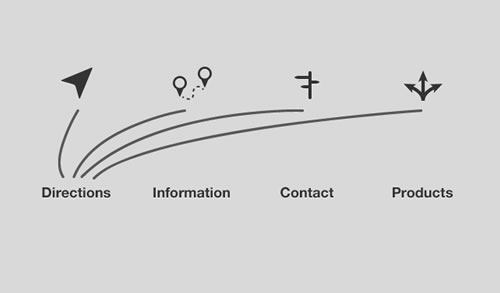
Elements of navigation

When building a website for your visitors, you need to know who your audience is and provide them with the information that they are interested in. When designing a great user experience, the behaviours of the visitors should be considered. To make sure that the website reaches a suitable audience, it is worth thinking about the values, goals, concerns and attributes of the visitors. By giving your site a focus, it makes it the website enjoyable for the users.

When people use websites, it is most likely that they are finding information, and everyone has a set objective when they go on the web. There is only a small percentage of people that end up directly on a web page by using the URL code the majority of people follow links or find the website on a search engine.

A website should be simple and easy to use because of the one clear goal that viewers are trying to achieve is be able to quickly and easily use the website. An example of how designers can achieve this is by making sure the images that they use explain the content and are relevant. Advertisements that play on a page should be appropriate in the way that they relate to the information on the page. When designing for web, there should be a mix of media which includes text, images and videos. To analyse if a website is easy to use the content should all be helpful and relevant.

Design Aesthetics for the Web

Aesthetics is an area that practitioners study beauty due to it relating to art. In graphic design, aesthetics is related to the cohesion and vision of work. Good designs can signify a meaningful design which has useful components. Design aesthetics are moving forward, including the other senses such as touch and sound.

Web design should be compatible with other operating systems such as mobile and tablets. Design is crucial; it can determine whether you have a positive or negative experience with a website.  Design influences everything and is everywhere; it can be seen in wallpaper or a book cover.

The elements of design are the elements that are required in creating a design. The eight elements of design include colour, value, shape, texture, form, line, space, type. These elements are required in creating a design.

When designers are designing for the web, they need to consider the user’s experience. According to the Nielsen Norman group examination, there is evidence that suggests users view the website in an F -shape this indicates that the important information should be quick and straightforward to read as the evidence suggests the readers skim through the text. Images should also be included to grab the viewer’s attention. When it comes to typography, there is a maximum of two fonts that should be used, and the font must be readable so that the viewers can quickly skim what is written. The colour palette that you choose for your website should be appropriate to the client’s needs.

Web Design: Efficient Workflow

Web design workflow guides the clients strategically through all of the essential phases of the process, which consists of the web design and development process. When looking at other designers workflow, it can help with the understanding of the design phase. Wireframes are useful when it comes to the structure and layout of the website. Brainstorming ideas is also an important step; this helps with generating many different ideas that may come to mind. A mood board helps manage the aesthetics of the website and maintains the site before the final design last-minute revisions almost always take place.
A Web design workflow is a process that is taken while designing a website. To create an efficient website, specific steps should be taken place in a strategical order. A web design workflow is there to benefit people so that they can reach their goals. Design workflows are suggestions that aid you to work to your highest potential.
There are benefits of looking at other designers workflows, such as more information which allows you to draw more skills that can help you succeed while creating your site. A workflow can be as straightforward or as complicated as desired as long as it works for the person it is efficient. There are numerous benefits of using workflows; For example, reducing errors such as having to redo work, another advantage is that workflows can increase the productivity and makes you aware of the time you have to complete each task and finally it speeds up the entire process of creating a site.

Here is an example of a web design process:

Photoshop vs Gimp: Prepare images for web

When preparing images for the web, you can 

use the save for web dialogue box, and it gives you the most control when exporting images. To smooth out the appearance of curves with anti-aliasing, you can use the command and control plus button this allows the user to zoom into the picture. 

The objective is to scale down the image as much as possible while sustaining high quality of the picture. In order to save for web, you must follow the simple steps of selecting file, export, save for web and in the dialogue box. To make sure the user can see the whole image select fit in view.

 To compare the original image and exported image, the Two-Up- view is available. The file format JPEG does not support transparency. The best file format for an image is a PNG image which allows you to reduce the number of colours in the image.

 The photoshop ACA exam objectives

 To pass the photoshop ACA exam, you should be able to set the terms for the project, which includes identifying the audience completely for when creating images, understanding the copyright rules over images and management responsibilities. You should also be able to demonstrate knowledge When making images the ability to recognise elements. The second objective is to know about the image resolution, file format, video and print and have an understanding of typography. Most importantly, in my opinion, you have a good knowledge of photoshop by knowing how to produce and reuse images.

UX Foundations: Content Strategy

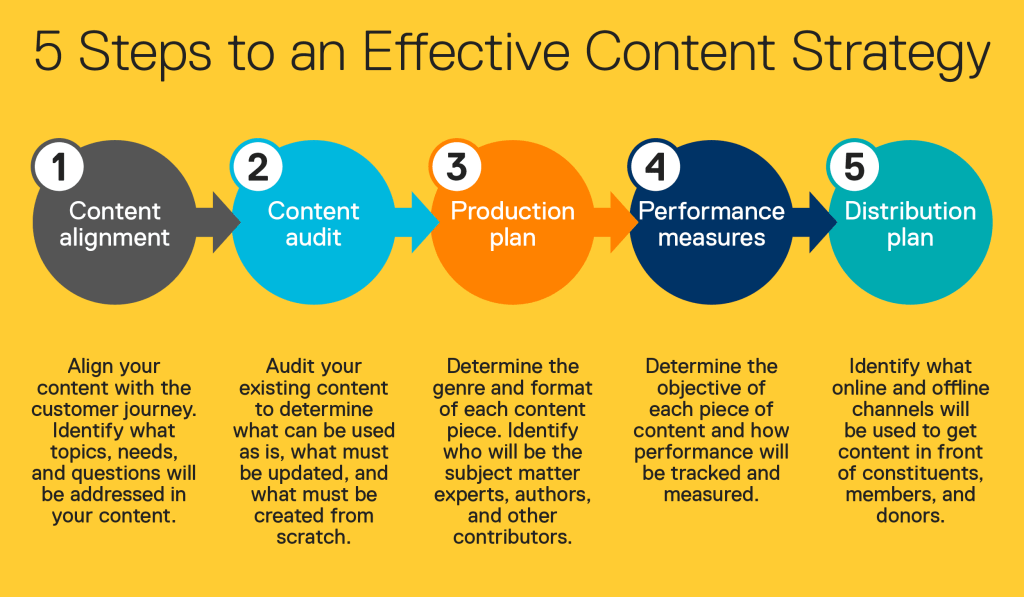
Content strategy is an integral part of modern business that covers the planning for, developing for, and management of content. Content strategy includes making sure the correct content is being introduced to the correct person at the correct time. Making sure all content is accurate, appropriate and up to date. The sole purpose of content strategy is to interest the company’s targeted customers; this can only be the case if the audience needs and communication style is considered. Without all of this crucial information, the business and content will fail.


Content is something that holds meaning to a person; examples of content are images, graphics, videos, audio and text. Content can be found everywhere and anywhere. Meaning is far from universal in fact; everyone has a different meaning to what they may understand from different content.
The dilemma content strategy is attempting to solve to make sure that the message is reaching a suitable audience that will be understood.
The content strategy attempts to understand the creator of the content and what they are aiming to do. The audiences requirements are an essential aim to understand, the type of channels and mediums the content exists, the creators and producers of the content and the planning and management of content.
Content strategy sole purpose is the planning and creation, delivery of content that allows businesses to reach the set goals that they strive to achieve.

Contact Page

contact me for more information:

Go back

Your message has been sent

Warning
Warning
Warning
Warning

Warning.